Showing posts with label root. Show all posts

Greenify ROOT Renew my Phone Donate Apk 1 97 beta 1 Download

| 0 comments |
Greenify-ROOT-Renew-my-Phone-Donate-Apk-Apktablets.com_-307x250

Greenify ROOT Renew my Phone Donate Apk 1.97 beta 1 Download


Criteria: 3.1 and/or right up, happy Patcher

Assessment: will never should their telephone or simply product be reduced and also electric battery more hungry once many applications setup. Together with Greenify, their product can go just about like smoothly furthermore lastingly as it performed the very first night you had they!

Greenify ROOT Renew my Phone Donate Apk recognize and put that the misbehaving software in to hibernation whenever you are certainly not utilizing these individuals, to stop them all with lagging personal tool as well as leeching all battery pack, within an original form! Possible manage not a thing without having direct start through anyone and other software, even though even now maintaining full usability when managing as part of foreground, like most iOS apps!

CORE is essential.

NOTE: PLS YOU SHOULD NEVER REPORT BUG that RATING, because I really could not get hold of individuals for further data. Remember to describe bugs on the XDA line (http://goo.gl/urHEa), or even in G+ area (http://goo.gl/MoszF).

VITAL: Greenifying an software means that you are conscious most of the background performance on this application will get away help during the hibernation apart from while applying this application:

* Lasting credentials companies

* Shown receivers, what reply to international product occasions, for instance net say reverse, SMS reception.

* Sensors, what stimulate understanding practice on specified duration as interval.

* Widget improvement. Gadget if show but may or may not update basically because regular improve often features record job.

* Drive point. Move can be impaired since it would initialize credentials practice about Android os, in contrast to iOS what definitely appears messages on individual.

Thrill YOU SHOULD NEVER greenify alarm system timepiece programs, immediate chatting programs if you don’t will never count on consumers. Want examine the actual results associated with greenified software by which you intensively rely.

In comparison to the other sought after methods focused for that close purpose, Greenify provides the adhering to rewards:

◆ As opposed to on “halt” highlight inside “TitaniumBackup Executive” it extremely turn off the actual app, one can even now make use of your software as always, talk about content with which. No need to halt & defrozen information technology.

◆ Different “software Quarantine”, you can actually launch greenified apps in any respect as usual. Forget about designed app-release widgets, no longer guide disabling.

◆ Dissimilar “Autostarts”, one can gain from the vast majority of its positive aspects, minus needing to overcome on complexity furthermore danger of hidden app components, and not lose function after application is make an effort to managing.

◆ As opposed to every “Explicit routine monster”, every technology can never end up in the actual cat-computer mouse-online associated with stealthy-jogging plus intense eliminating, what needlessly utilizes a lot of battery pack extract.

Bear in mind: Greenify create have to have a background repeated “vacuum” help to position the greenified apps back to hibernation while not really busily having one. Really planned and implemented at very light, having an ordinary RAM footprint from 3M overall, to basically zero central processor as well as battery pack eating.

In the event you cannot purchase by run preserve: http://oasisfeng.com/Greenify.apk

=== PERMISSIONS ===

NET: essental to “increase your sound” regimen to transmit spine simply little bit of anonymous statistics details, devoid of privateness info. You can easily pick-outdoors providing.

REVIEW DELICATE sign: towards comparison that the awaken cause for greenified programs.

Have ACCOUNT & WRITE SYNCHRONIZE CONFIGURATIONS: regulation their account sync in software if it really is sync undertaking is actually constant.

=== frequently asked questions ===

* Why don’t you support Android 2.x?

* It seems that programmed hibernation is not running.

* A few of my personal greenified applications (e.g. Google routes) seems never hibernating.

* I wish to greenify program apps!

* De-greenified applications extremely got zero drive notification!

Look over following: http://goo.gl/1F5pY

=== Beta Station ===

Discover G+ community deck: http://goo.gl/MoszF

=== Translation ===

Mostly translations were opened as progress: http://goo.gl/TQAzx

(Pls join to begin with: http://goo.gl/ofhed)

=== Donation ===

If you appreciation Greenify and want to give, just look at the “donation adaptation” http://goo.gl/fpz5l to try out vibrant fresh services, particularly:

* Greenify routine programs

* Leave GCM move of hibernated software

* Find “exactly who” woke on hibernated apps

What’s New in Greenify ROOT Renew my Phone Donate 1.97 Apk:

v1.95

Hide programs you do not would you like to greenify because of the brand-new “Disguise” switch (about activity bar) when software Analyzer.

Yahoo and google portray companies are no lengthier restricted (not suggested) toward greenify, except covered by simply nonpayment. Usage “offer most” about menu to be able to disclose this item.

Wakeup Tracker pleasing recognizes GCM/C2DM wakeups, and now will work in Android os 4.3. (donation pack)

v1.97 beta 1 (beta route)

better: cut-off wake up-ahead supply of greenified software, to keep one relaxed when hibernation. (right now only if Wakeup Tracker are allowed)

Greenify ROOT Apk has no commercials

Greenify ROOT Renew my Phone Donate Apk 1.97 beta 1 Download

Google Play Link


Download Link
Read More..

Root Toolbox PRO 2 2 5 Apk Download

| 0 comments |
28


Root tool chest professional two.2.5 Apk transfer

DISCLAIMER: This app is created accessible to be used at the terribly own risk with none guarantee of a form.

NANDROID BACKUP BEORE Utilize!!!

Root, Busybox and S-off ar actually need to utilize an oversized range of options during this glorious app.

Features :
Reboot/Recovery/Bootloader/HotBoot/Download-Mode
SetAPN/Backup/Restore
Wipe Delvik
Rub battery Stats
Remount System
Backup/Restor/Flash/Erase knowledge recovery
Fix permissions
Launch Invisible Menu
Fix Marketplace net links
Sim Setup
Update Busybox
CM7 styles
Restart standing Bar
Dual Mount Sdcard + EXT
System software system Remover/Backup/Restore
Enable/Disable Boot Animation
Read Logcat
Display Device data
Download Update.zip to alter Sdcard Study Speed
Install gas DSP Manager
Rub All Webview Cache
Core flash light-weight
MD5 total Fixer
Set Manager
Debug Message

Install Non-Market Application

What’s during this glorious version: (Updated : Mar twenty one, 2013)

Addressed error wherever system software system list was really not stimulating
German interpretation value-added – as a result of Florian Stimpfle.

Download Link 1

Download Link 2
Read More..

GMD GestureControl root Apk 7 0 5 Download

| 0 comments |
GMD-GestureControl-root-Apktablets.com_

GMD GestureControl root Apk 7.0.5 Download


Requisite:Droid 3.1 and also all the way up

Assessment: Get a handle on pill and MULTITOUCH gestures fancy apple ipad. Protect rank pub, whole monitor.

Regulation product with MULTITOUCH & MULTITASK motions just like ipad tablet. Operates throughout services. You may also cover stage club and enjoy full test inside your preference matches to as shopping around.

★ Undertake Lite variant before you purchase

★ Need root access

★ USB Debuging should empowered within droid location

★ Multitouch

★ Multitask – launch any sort of system, shortcut or maybe customized fun without the need of providing up to date program

★ Tradition activities – LaunchPad, get started application, old system, afterwards function, apartment, ruin updated app, spine, onward, current registration listing, present use dialogue, selection, Notification screen, conceal/display reputation pub, get started on launcher shorcut(save, connections, options, and others), beginning Tasker undertaking, Pause gestures, leave, Screen down (fasten), Alt+Tab, sound run/After that/earlier, amount, Look, speech browse, pick feedback system.

★ Pilfer 4 hands correctly – open prior program

★ Swipe 4 hands and fingers left – opened then system

★ Enlarge 4 fingertips – LaunchPad (similar to SwypePad, initiate just about any use, cutoff or perhaps custom made move)

★ Squeeze 4 fingers – personal motion

★ Swipe 3 hands and fingers up – ago motion

★ Swipe 3 hands and fingers all the way up – Bottom modern purposes bar

★ Swipe 4 fingers right up – cover/offer position bar (fresh)

★ Personalized actions – create your use expressions to start any kind of tool, faster way or maybe customized motions

THERE IS NO WAY TO ANSWER PROMOTE COMMENTARY to EMAIL COMMENTATOR – EMAIL me personally IF YOU WOULD LIKE REPLY TO.

Want cannot post every disorder about promote, send us or simply opt content towards XDA, due:

http://forum.xda-developers.com/showthr … ?î¤=1535740

If your gadget may mentioned because unsupported, please shot standard parsers:

1) get started on system

2) Unfold Progressed loss

3) looks multitouch tool noticed appropriately? Or else, facilitate ‘bypass multitouch equipment detection’ to select the multitouch device.

4) help ‘Override push occasions parser detection’. Determine HC_STANDARD. Click ‘resume service’, hang around a matter of seconds, undertake in case it is employed.

5) If it is never working together with HC_NONPAYMENT, test ICS_NONPAYMENT. Don’t forget toward resume website again.

6) if someone makes this jobs, wish pay a visit to assistance loss, simply click set systems to pass use screenshot. Tell me that it is dealing with all these options. I am going to improvement registration therefore it’s spotted smartly when after that type.

7) when it however don’t jobs, communications use in e-mail:

Acknowledged issues:

- About ICS hiding pub will likely reset to zero the wallpaper and default.

Living wallpapers don’t have troubles. You can use “basic image wallpaper” through markets to solve this problem.

- Through ICS concealed pub could very well reapear to most ROMs

- There is not really challenges at Honeycomb.

Description: our registration allows you to influence android tablet having motions.

Swipe 4 hands and fingers about conceal rank prevention. Will even touch yet again to bring back pub.

Swipe 4 fingertips directly to unsealed last tool.

Swipe 4 hands dealt with by available following function.

Crunch together with 4 hands across town on top of screen to go back or interior test starting just about any function.

Pilfer 3 fingers right down to carry out back action in almost any software.

Swipe 3 fingers around teach customized foot club among current uses.

Enhance 4 hands just about anywhere regarding test to open LaunchPad dialogue. It’s like most SwypePad as well as makes it possible for starting ones oftentimes taken concepts, shortcuts as tradition approaches across town whenever alongside simplified motion.

Is effective in all of applications, adventures then web browser.

Coating will use freed site once you cover state bar. Various adventures really are better using the position pub unknown.

There is an way to change to individual contact actions if perhaps the more convenient. You may also design your particular motions for virtually every action.

Complete version creates after has: choice to protect notification image, custom made expressions additionally special steps, any number of actions over LaunchPad.

Tickets: disguise prevention, touch, gestures, touch manage, gesturecontrol, level pub, mechanism pub, whole test, Honeybar, ICS, SwypePad, ipad tablet, GMD, G.M.D.

What is in GMD GestureControl root 7.0.5 apk:

7.0.5:

- Addressed security problem.

GMD GestureControl root Apk app has no ads

GMD GestureControl root Apk 7.0.5 Download

Google Play Link

Download Link 1


Download Link 2
Read More..

WiFi Passwords Root Pro Apk 1 0 Download

| 0 comments |
WiFi-Passwords-Root-Pro-Apktablets.com_-168x250

WiFi Passwords [Root] Pro Apk 1.0 Download


Requirements: 1.5 and up

Overview: This is not a harmful software, but it is very useful for fun and entertainment.

Prank that you can unlock any protected WiFi network.

This is an android application to prank your friends that you can hack the WiFi networks.

It just presents beautiful graphical animations and images.

WiFi Passwords apk will never find the network key but it will give you a feeling that it does some discovering on the network key.

Key: Wifi

WiFi Passwords [Root] Pro Apk 1.0 has no advertisements

WiFi Passwords [Root] Pro Apk 1.0 Download

Google Play Link


Download Link
Read More..

SCR Screen Recorder Pro root Apk 0 10 2 beta Download

| 0 comments |
SCR Screen Recorder Pro root Apk 0.10.2-beta Download 

Requirements: Droid 4.0.3+

Introduction: capture great quality screencasts exclusively out of your contact or even product!

Report great quality screencasts quickly from the telephone as internet tablet!

SCR Screen Recorder makes use of devices rapid video clip encoding to attain best quality display record on any kind of device. It is the exclusively video recorder in the marketplace promoting Tegra device incorporating Nexus 7.

If you decide to grabbed jammed through touching alerts (whitened groups) make use of “offer bit Indicators” application to turn it off.

It is really an first BETA review model so it might not exactly develop just about all gear and also ROMs. Before you buy choose screenings a free of charge adaptation to make sure that your own hardware is already backed. Any time you discover some obstacles thrill document this item at the to help me get your technology backed.

SCR display screen Recorder gathers anonymous consumption numbers to assist track insects furthermore assess just how end-users use the software.

What’s new in SCR Screen Recorder Pro root Apk :

Adaptation 0.10.2-beta

- You can now tape fasten test! (vary ceasing options 1st)

- Corrected “are not able to organize online submit” mistake.

- Emerging translations.

SCR Screen Recorder Pro root Apk has NO campaigns

SCR Screen Recorder Pro root Apk 0.10.2-beta Download 

Google Play Link

(This edition has Chinese translation)

Download Link
Read More..

GMD SPen Control root Apk 5 3 2 Download

| 0 comments |
GMD-SPen-Control-rootApktablets.com_-480x250

GMD SPen Control root Apk 5.3.2 Download


Requisite: Andrroid 3.1 and/or awake

Overview: Build modified S write Stylus actions for the Samsung Note gadget.

GMD SPen Control root Apk Samsung bear in mind technology through tradition S write Stylus motions. That maximum you to ultimately multiple actions that Samsung delivered? Design your have gestures.

Produce personalized m write Stylus actions for your Samsung take note unit.

Handle your very own Samsung keep in mind appliance at personalized Ð… write Stylus expressions. The reasons why restrict yourself to many gestures your Samsung offered? Design your personal motions.

This one registration is merely as Samsung Ñ• write Stylus. It’s appropriate might be applied and GMD Gesture controls – touch screen expressions tool.

Features of GMD SPen Control root 5.32 apk:

★ Requires main!

★ Galaxy Bear In Mind

★ Universe Take Note 2

★ Galaxy Remember 10.1

★ Is GMD Gesture Control for more machines.

Includes in GMD SPen Control root 5.3.2 apk Download:

★ Visual actions – establish any other gesture you want.

★ Result in gestures – swipe, store, tap, is generally completed while not demanding SPen key.

★ Opening zones – allocate separate strategies of even touch once starting up painting in a variety of field.

★ Beginning any kind of system, faster way as well as specialty procedure.

★ Many specialized behavior to carry out.

★ Included LaunchPads obtainable anytime along with you acquire touch. Develop introduction club about any kind of border or perhaps panel around facility.

Modified practices: LaunchPad, starting app, prior software, upcoming application, residence, Kill newest system, Back, onward, present-day system show, Menu, notice Panel, beginning launcher shorcut(bookmark, associates, controls, etc), get started on Tasker job, Pause gestures, escape, test back (fasten), Power menu, Alt+bill, singing bet/afterwards/preceding, Volume, scan, lookup (prolonged touch), sound google search, choose insight tool.

What Is New in GMD SPen Control root 5.3.2 apk:

5.3.2:

- Fixed steadiness troubles.

GMD SPen Control root Apk does not have any ads

GMD SPen Control root Apk 5.3.2 Download

Google Play Link

Download Link 1


Download Link 2
Read More..

GMD GestureControl root Apk 7 0 4 Download

| 0 comments |
GMD-GestureControl-root-Apktablets.com_-500x250

GMD GestureControl root Apk 7.0.4 Download


Needs: Android os 3.1 and increase

Assessment: manage capsule through MULTITOUCH actions similar iPad. Hide level club, comprehensive display screen.

Reduce technology at MULTITOUCH also MULTITASK expressions like most ipad device. Really works in all of uses. You can even cover rank prevention and enjoy total filter inside favored game or perhaps as exploring.

★ Sample Lite model before buying

★ Means root entry

★ USB Debuging ought to be enabled inch droid establishing

★ Multitouch

★ Multitask – begin all system, cutoff otherwise customizable move with no providing active use

★ Custom practices – LaunchPad, begin use, last function, further tool, dwelling, ruin updated tool, rear, advanced, current application show, past app dialogue, Menu, notice screen, Hide/tv show state club, Start launcher shorcut(book mark, connections, settings, etcetera), get started on Tasker job, stop actions, get out of, filter Off (secure), Alt+Tab, Music bring/Then/prior, size, Google, express browse, identify feedback approach.

★ Pilfer 4 fingertips well – open up preceding program

★ Pilfer 4 fingers kept – opened next use

★ Improve 4 fingertips – LaunchPad (like most SwypePad, get started on any software, cutoff to personalized procedure)

★ Squeeze 4 fingers – residence gesture

★ Swipe 3 fingertips off – ago touch

★ Pilfer 3 hands and fingers away – base present-day purposes club

★ Swipe 4 fingers increase – protect/demonstrate state bar (experimental)

★ Customizable expressions – create your obtain actions to start out with whatever system, shortcut or simply customizable motions

THERE IS NO WAY TO RESOLVE INTERNET RESPONSES or even CALL COMMENTATOR – SEND me personally WHEN YOU NEED SOLUTION.

Want you shouldn’t posting personal trouble when advertise, e-mail us to get post at XDA, cheers:

http://forum.xda-developers.com/showthr … ?î¤=1535740

If the unit is outlined when unsupported, remember to test default parsers:

1) get started on use

2) Opened Expert bill

3) is definitely multitouch tool discovered appropriately? If you don’t, let ‘nullification multitouch unit detection’ then locate complete multitouch appliance.

4) let ‘overrule hint parties parser detection’. Find HC_DEFAULT. Touch ‘Restart service’, wait a few seconds, sample whether its operating.

5) in case it is certainly not dealing with HC_NONPAYMENT, use ICS_STANDARD. Remember to resume servicing again.

6) If you make things efforts, want go to support case, push number gear plus give use screenshot. Tell me it is working together with they setting. I am going to enhance registration therefore it is recognized perfectly inch after that variation.

7) if this nevertheless refuse to move, make contact with use simply by send:

Recognized issues:

- Concerning ICS covering prevention can reset your very own wallpaper or default.

Stay wallpapers lack concerns. You need to use “ordinary picture wallpaper” off marketplace to solve this problem.

- At ICS concealed drink station could very well reapear at a few ROMs

- There is no issues concerning Honeycomb.

Explanation: our product helps you regulation pill together with expressions.

Swipe 4 fingers as much as disguise condition pub. Manage alike gesture yet again to regain it pub.

Pilfer 4 hands and fingers directly to unfold past product.

Pilfer 4 fingers handled by available second program.

Pinch together with 4 hands across town concerning screen to return in order to personal display out of any product.

Swipe 3 hands and fingers down to complete in return experience in every coating.

Swipe 3 fingertips doing tv show specialty base pub alongside previous solutions.

Grow 4 hands and fingers anyplace on top of monitor to open LaunchPad dialog. It is like SwypePad and/or helps get started on your very own most frequently utilised solutions, shortcuts or simply modified behavior anyplace when among simple touch.

Is effective in all uses, adventures and/or internet browsers.

Software uses freed space when you cover position prevention. A number of video games still are better along with rank pub hidden.

There is an choice to change to only feel motions assuming the easier. You can even design your acquire motions about movement.

Maximum type brings sticking with qualities: solution to protect notification symbol, personalized actions plus particular measures, any number of strategies near LaunchPad.

Labels: disguise club, motion, actions, motion manage, gesturecontrol, state prevention, method prevention, comprehensive display, Honeybar, ICS, SwypePad, ipad device, GMD, G.M.D.

What’s new in GMD GestureControl root 7.0.4 apk:

7.0.4:

- Predetermined – computer keyboard recognition was not focusing on a few machines.

- Optimizations.

- More products.

GMD GestureControl root Apk does not have a advertisements

GMD GestureControl root Apk 7.0.4 Download 

Google Play Link

Download Link 1


Download Link 2
Read More..

Root Explorer v3 1 5 Full Android Apk

| 0 comments |
Root Explorer apk

Download Root Explrer For Android

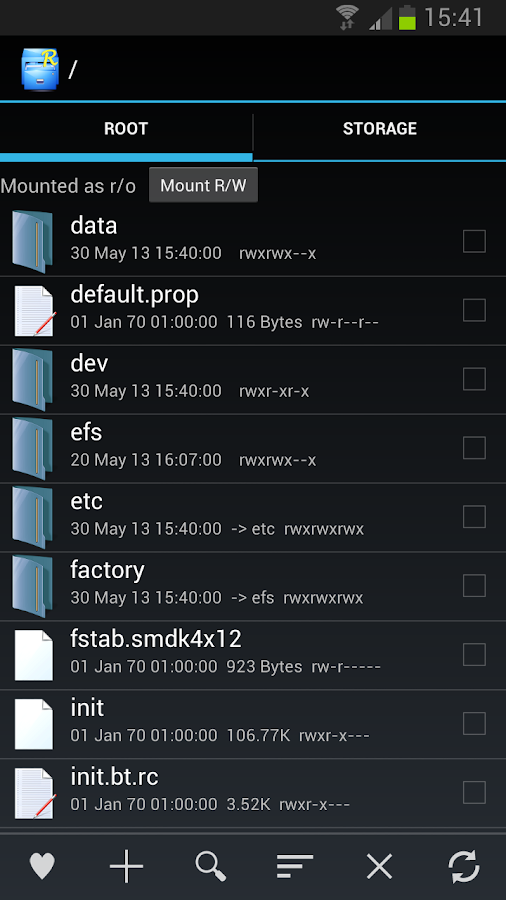
Root Explorer is the ultimate file manager for root users. Access the whole of androids file system (including the elusive data folder!).

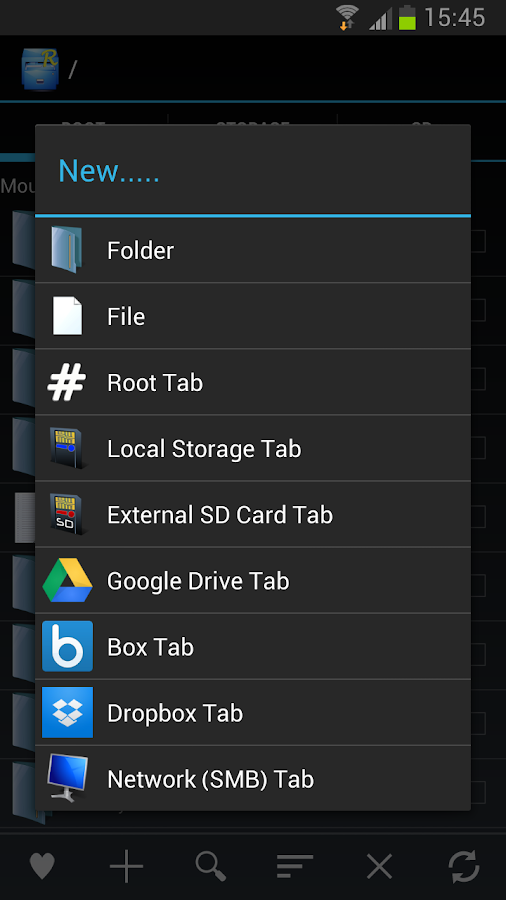
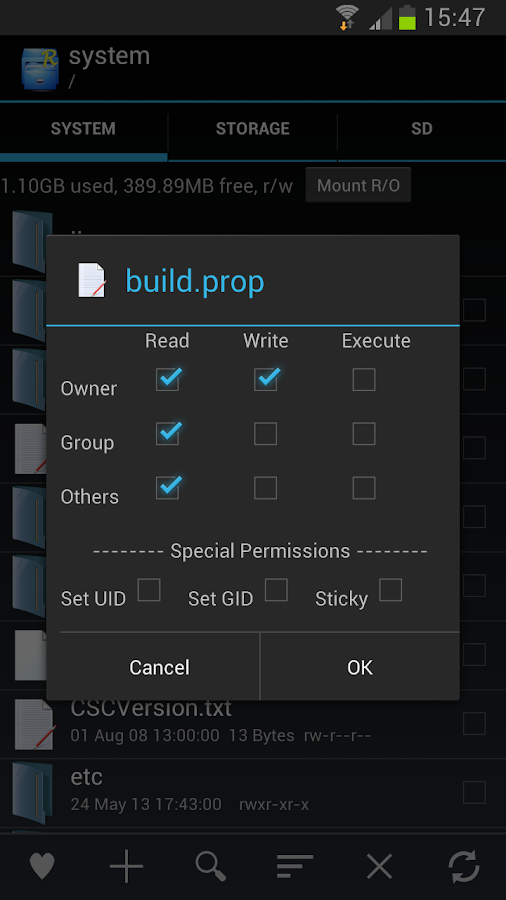
Features include multiple tabs, Google Drive, Box, Dropbox and network (SMB) support, SQLite database viewer, Text Editor, create and extract zip or tar/gzip files, extract rar archives, multi-select, execute scripts, search, remount, permissions, bookmarks, send files (via email, bluetooth etc), image thumbnails, APK binary XML viewer, change file owner/group, create symbolic link, "Open With" facility, MD5, create shortcuts.

We will always try to help with any problem you may have with the app. If we cant help then you can have a refund, no questions asked.

Although 16,000+ five star ratings will tell you that most people are very satisfied customers. Make sure you read as many comments as possible to get a good idea of what most people think of the app.

We still respect the old 24 hour refund policy. So if youre not happy with the app just email us within 24 hours and you can have a refund. Well need to know the order number, which you can find on the emails sent to you by Google when you downloaded.

Why compromise? Get the original and the best!

New permissions:

  • Full network access - Required for network and cloud access. No information is passed to us over the internet.
  • Add or remove accounts - Used by the Google Drive SDK to add a new account if desired. No changes are made to existing accounts and no details accessed apart from the account name.
  • Find accounts on the device - Used to list available accounts for logging into Google Drive.
  • Prevent from sleeping - Used to stop the device sleeping during long operations so they are not interrupted.


Screenshot:
Root ExplorerRoot Explorer

Whats New:
v3.1.5
• Upgraded Box API from v1 to v2. You will need to re-enter your login details if you have any saved Box tabs.
v3.1.4
• A couple more bug fixes. Thanks for your help in tracking these down.
v3.1.3
• Updated to use latest Android SDK (4.4) and Google Drive SDK.
• General performance and stability improvements.
• Fixed bugs reported since last release.
v3.1.2
• New themes (available in preferences). Light, light with dark action bar and home wallpaper (including live wallpaper).


Download Root Explorer v3.1.5 Apk
download now
 
Download On Google Play
Read More..

Root Call Blocker Pro 1 8 3 36 APK Free Download

| 0 comments |

Root Call Blocker Pro Apk v1.8.3.36

Root Call Blocker Pro
CURRENT VERSION:1.8.3.36
UPDATED:June 23, 2013
REQUIRES ANDROID:2.3 and up
SIZE:2.7M


Whats in this version:
IMPORTANT: This weekend we will be testing updates in preparation for the Open Beta. It is likely that things will get broken. BE PREPARED OR DONT UPDATE. Thank you for understanding.
1.8.3.36
All weekend issues now fixed
1.8.3.32
Fixed SMS and MMS duplication
Increased stability
1.8.3.30
Added compatibility with Galaxy S4 and Galaxy S3 Mini
Updated daemon


To Install Install
latest version Link
Read More..

How to Root Galaxy Tab 7 7 P6800 on Android 4 1 2 Jelly Bean and Install CWM TWRP Recovery

| 0 comments |
Samsung recently rolled out its first official Android 4.1.2 Jelly Bean update for Galaxy Tab 7.7 GT-P6800. The official firmware is now available as an Over-The-Air (OTA) update as well as through Samsung KIES.

Samsung Galaxy Tab 7.7 P6800 users who have already updated their devices with Android 4.1.2 Jelly Bean, may root their devices using the tutorial below.

This tutorial uses CWM/TWRP recovery released by Senior Member of XDA-Developers, daniel_hk. The custom recoveries allows users to root their devices without any difficulty.

Disclaimer: Rooting voids the warranty of your device. We and the developer of this rooting procedures shall not be held responsible if any undesirable outcomes may happen to your device. use of this root guide is solely at your own risk!

Pre-Requisites
1. Install USB Drivers for Samsung Galaxy Tab 7.7 on your computer.
2. Enable USB Debugging Mode on the tablet by navigating to Settings >> Developer Options.
3. Make a backup of all your important data before following the guide.
4. The Galaxy Tab 7.7 should be factory unlocked and not locked to any particular carrier.
5. Ensure the battery of the tablet is charged more than 80 percent.
6. The CWM/TWRP Recovery works only on the Samsung Galaxy Tab 7.7 (GT-P6800). Applying these on any incorrect variant will brick the device. Verify the model number of the Galaxy Tab 7.7 by selecting Settings >> About Phone.

Files Required
1. CWM (Mirror Link) or TWRP (Mirror Link)
2. SuperSU (UPDATE-SuperSU -v1.25.zip) or the latest version
3. Odin 3.07 (Mirror Link)

Steps to Install CWM Recovery on Samsung Galaxy Tab 7.7 P6800
Step 1: Extract the Odin 3.07 .zip file using WinRAR/7-Zip/WinZip or any other extracting tool.
Step 2: Copy the SuperSU .zip file to the SD card of your tablet.
Step 3: Switch off the Galaxy Tab 7.7. Then boot the device into Download Mode by pressing and holding Volume Down and Power buttons together until a construction Android robot icon with a warning triangle appears on screen. Now press the Volume Up button to enter Download Mode.
Step 4: Run Odin on the computer as an Administrator.
Step 5: Connect the Galaxy Tab 7.7 to the computer using USB cable while it is in the Download Mode. Wait until Odin detects the device. When the device is connected successfully, the ID: COM box will turn to light blue with the COM port number. Additionally, the successful connected will be indicated by a message saying Added.
Step 6: In Odin, click the PDA button and select the CWM/TWRP Recovery .tar file. Verify that Re-Partition option is NOT selected.
Step 7: Double-check and click Start in Odin. The installation process will now begin.
Step 8: Once the installation process is completed, the tablet will reboot automatically. After the home screen appears, unplug the USB cable to disconnect it from the computer.

Steps to Root Galaxy Tab 7.7 P6800 by Installing SuperSU via CWM/TWRP Recovery
Step 9: Boot the Galaxy Tab 7.7 into CWM/TWRP Recovery by pressing and holding the Volume Up and Power buttons together.
Step 10: In CWM/TWRP Recovery, select "install zip" then select "choose zip from sdcard". Now, navigate to the SuperSU .zip file that you copied earlier and confirm the installation by selecting Yes.
Step 11: Once the installation process is completed, return to main recovery menu and select "reboot system now".

The Samsung Galaxy Tab 7.7 P6800 running on Android 4.1.2 Jelly Bean is now rooted successfully. You may now install any app that requires root permission. Verify the root status of the device by downloading Root Checker app from Google Play Store.

Note: Tested working on Galaxy Tab 7.7 P6800 with Android 4.1.2 DXMD3 Jelly Bean firmware, should work with other Jelly Bean firmware. Try it and let us know.

Screenshot 1: Installing CWM Recovery using Odin

Screenshot 2: Installing SuperSU via CWM Recovery
Screenshot 3: Rooted Successfully!
Thanks to all fellas at XDA who first tried out this rooting technique. This method was originally posted via XDA-Developers. All credit goes to CWM/TWRP Recovery and SuperSU original threads.
Read More..

How to Root Galaxy Note 3 LTE N9005 on Android 4 4 2 KitKat Firmware

| 0 comments |
Samsung has rolled out Android 4.4.2 KitKat update for the LTE version of Galaxy Note 3 (SM-N9005). The new official firmware is currently available as an Over-The-Air (OTA) update as well as through Samsung KIES.

Samsung Galaxy Note 3 (LTE) N9005 users who have already updated their devices with Android 4.4.2 KitKat, may root their devices using the tutorial below.

This tutorial uses CF-Auto-Root file released by Senior Recognized XDA-Developers, Chainfire. Head over to the CF-Auto-Root main thread to learn more about the root method.

Disclaimer: Rooting voids the warranty of your device. We and the developer of this rooting procedures shall not be held responsible if any undesirable outcomes may happen to your device. use of this root guide is solely at your own risk!

Note: This method will trip the KNOX warranty void status.

Pre-requisites
1. Install USB Driver for Samsung Galaxy Note 3 on the computer.
2. Enable USB Debugging Mode on the phone. Go to Settings >> About Phone. Tap on Build Number several times till the message shows "You are now a Developer". Then enable USB debugging by navigating to Settings >> Developer Options.
3. Make a backup of all your important data before following the guide.
4. The Galaxy Note 3 should be factory unlocked and not locked to any particular carrier.
5. Ensure the battery of the phone is charged more than 80 percent.
6. The CF-Auto-Root file works only on the LTE version of Samsung Galaxy Note 3 (SM-N9005). Applying this to any incorrect variant might brick the device. Verify the model number of the Galaxy Note 3 by navigating to Settings >> About Phone.

Files Required
1. CF-Auto-Root for Galaxy Note 3 (LTE) N9005 (CF-Auto-Root-hlte-hltexx-smn9005.zip)
2. Odin 3.07 (Mirror Link)

Steps to Root Galaxy Note 3 (LTE) N9005 Running on Android 4.4.2 KitKat Firmware
Step 1: Extract CF-Auto-Root and Odin 3.07 files using WinRAR/7-Zip/WinZip or any other extracting tool.
Step 2: Switch off the Galaxy Note 3. Then boot the device into Download Mode by pressing and holding Volume Down, Home and Power buttons together until a construction Android robot icon with a warning triangle appears on screen. Now press the Volume Up button to enter Download Mode.
Step 3: Launch Odin on the computer as an Administrator.
Step 4: Connect the Galaxy Note 3 to the computer using USB cable while it is in the Download Mode. Wait until Odin detects the device. When the device is connected successfully, the ID: COM box will turn to light blue with the COM port number. Additionally, the successful connected will be indicated by a message saying Added.

Note: If the Added message does not appear, then try re-install USB drivers or changing the port on the computer.

Step 5: In Odin, click the PDA button and select the CF-Auto-Root-hlte-hltexx-smn9005.tar.md5 file.
Step 6: Verify that Auto Reboot and F. Reset Time checkboxes are selected in Odin. Also, ensure the Re-Partition option is NOT selected.
Step 7: Double-check and click Start button in Odin. The installation process will now begin.
Step 8: Once the installation process completes, your phone will restart and soon you will see a PASS message with green background in the left-most box at the very top of the Odin. You can now unplug the USB cable to disconnect your device from the computer.

Samsung Galaxy Note 3 (LTE) N9005 running on Android 4.4.2 KitKat is now rooted successfully. You can now install any app that requires root permission. Verify the root status of the device by downloading Root Checker app from Google Play Store.

Note: Many Samsung devices store a flash counter that keeps track of how many times you have flashed custom firmwares to your device. Triangle Away can be used to reset the flash counter to zero.

How to Fix "Unfortunately, SuperSU has stopped"?
Step 1: Download and install the latest APK of SuperSU on your device.
Step 2: Open SuperSU app (update the binary if prompted) and allow it to disable KNOX.
Step 3: Reboot your device.

Thanks to all fellas at XDA who first tried out this rooting technique. This method was originally posted via XDA-Developers original thread.
Read More..

How to Root Galaxy S4 Sprint SPH L720 on Android 4 2 2 VPUAMF9 Jelly Bean Firmware

| 0 comments |
Another official Android 4.2.2 Jelly Bean update with firmware build number L720VPUAMF9 has been released for the Sprint subscribers of Samsung Galaxy S4 (SPH-L720).

Samsung Galaxy S4 (Sprint) SPH-L720 users who have already updated their devices with Android 4.2.2 VPUAMF9 Jelly Bean, may root their devices using the tutorial below.

This tutorial uses CF-Auto-Root file released by recognised XDA Developers, Chainfire. The CF-Auto-Root file allowing Galaxy S4 users to root their devices easily without depending on the firmware. It completely supports Android 4.2.2 Jelly Bean and future firmware as well. Head over to the CF-Auto-Root main thread to learn more about the root method.

Note: Using this root increases your flash counter. The flash counter keeps track of how many custom firmwares you have flashed, as this voids warranty. Triangle Away can be used to reset the flash counter after installing CF-Auto-Root.

Disclaimer: Rooting voids the warranty of your device. We and the developer of this rooting procedures shall not be held responsible if any undesirable outcomes may happen to your device. use of this root guide is solely at your own risk!

Pre-requisites
1. Install USB Drivers for Samsung Galaxy S4 on the computer.
2. Enable USB Debugging Mode on the phone by navigating to Settings >> Developer Options.
3. Make a backup of all your important data before following the guide.
4. Ensure the battery of the phone is charged more than 80 per cent.
5. The CF-Auto-Root file works only on Samsung Galaxy S4 (Sprint) SPH-L720. Applying this to any incorrect variant might brick the device. Verify the model number of the Galaxy S4 by navigating to Settings >> About Phone.

Files Required
1. CF-Auto-Root (Mirror Link) for Galaxy S4 (Sprint) SPH-L720 (CF-Auto-Root-jfltespr-jfltespr-sphl720.zip)
2. Odin 3.07

Steps to Root Galaxy S4 (Sprint) SPH-L720 Running on Android 4.2.2 VPUAMF9 Jelly Bean Firmware
Step 1: Extract CF-Auto-Root and Odin 3.07 files using WinRAR/7-Zip/WinZip or any other extracting tool.
Step 2: Switch off the Galaxy S4. Then boot the device into Download Mode by pressing and holding Volume Down, Home and Power buttons together until a construction Android robot icon with a warning triangle appears on screen. Now press the Volume Up button to enter Download Mode.
Step 3: Launch Odin on the computer as an Administrator.
Step 4: Connect the Galaxy S4 to the computer using USB cable while it is in the Download Mode. Wait until Odin detects the device. When the device is connected successfully, the ID: COM box will turn blue with the COM port number. Additionally, the successful connected will be indicated by a message saying Added.
Note: If the Added message does not appear, then try re-install USB drivers or changing the port on the computer.
Step 5: In Odin, click the PDA button and select the CF-Auto-Root-jfltespr-jfltespr-sphl720.tar.md5 file.
Step 6: Verify that Auto Reboot and F.Reset Time checkboxes are selected in Odin. Also, ensure the Re-Partition option is not selected.
Step 7: Double-check and click Start in Odin. The installation process will now begin.
Step 8: Once the installation process is completed, your phone will restart and soon you will see a PASS message with green background in the left-most box at the very top of the Odin. You can now unplug the USB cable to disconnect your device from computer.

Samsung Galaxy S4 (Sprint) SPH-L720 running on Android 4.2.2 VPUAMF9 Jelly Bean firmware is now rooted successfully. You can now install any app that requires root permission. Verify the root status of the device by downloading Root Checker app from Google Play Store.

Thanks to all fellas at XDA who first tried out this rooting technique. This method was originally posted via XDA-Developers original thread.
Read More..

Funbook P300 ROOT BY UNLOCK ROOT

| 0 comments |


   ROOT BY UNLOCK ROOT :               


 1.Download the drivers for funbook from here
 2. update the pc with these drivers by device manager
 3. Once the drivers are updated connect funbook with usb to pc
 4. Now download unlock root from here
 5. Open Unlock root and follow the instruction there
 6. Restart the tab
 7. If you are able to see superuser then congrats you rooted your funbook .

link password :MXFB12
Read More..

How to Root Galaxy S4 U S Cellular SCH R970 on Android 4 2 2 VXUAMDL Jelly Bean Firmware

| 0 comments |
Samsung Galaxy S4 (U.S. Cellular) SCH-R970 users who have already installed their devices with Android 4.2.2 VXUAMDL Jelly Bean, may root their devices using the tutorial below.

This tutorial uses CF-Auto-Root file released by recognised XDA Developers, Chainfire. The CF-Auto-Root file allowing Galaxy S4 (U.S. Cellular) users to root their devices easily without depending on the firmware. It completely supports Android 4.2.2 Jelly Bean and future firmware as well. Head over to the CF-Auto-Root main thread to learn more about the root method.

Note: Using this root increases your flash counter. The flash counter keeps track of how many custom firmwares you have flashed, as this voids warranty. Triangle Away can be used to reset the flash counter after installing CF-Auto-Root.

Disclaimer: Rooting voids the warranty of your device. We and the developer of this rooting procedures shall not be held responsible if any undesirable outcomes may happen to your device. use of this root guide is solely at your own risk!

Pre-requisites
1. Install USB Driver for Samsung Galaxy S4 the computer.
2. Enable USB Debugging Mode on the phone by navigating to Settings >> Developer Options.
3. Make a backup of all your important data before following the guide.
4. Ensure the battery of the phone is charged more than 80 per cent.
5. The CF-Auto-Root file works only on Samsung Galaxy S4 (U.S. Cellular) SCH-R970. Applying this to any incorrect variant might brick the device. Verify the model number of the Galaxy S4 by navigating to Settings >> About Phone.

Files Required
1. CF-Auto-Root (Mirror Link) for Galaxy S4 (U.S. Cellular) SCH-R970 (CF-Auto-Root-jflteusc-jflteusc-schr970.zip)
2. Odin 3.07

Steps to Root Galaxy S4 (U.S. Cellular) SCH-R970 Running on Android 4.2.2 VXUAMDL Jelly Bean Firmware
Step 1: Extract CF-Auto-Root and Odin 3.07 files using WinRAR/7-Zip/WinZip or any other extracting tool.
Step 2: Switch off the Galaxy S4. Then boot the device into Download Mode by pressing and holding Volume Down + Home buttons together and then press the Power button until the device turns on. Now press the Volume Up button to enter Download Mode.
Step 3: Launch Odin on the computer.
Step 4: Connect the Galaxy S4 to the computer using USB cable while it is in the Download Mode. Wait until Odin detects the device. When the device is connected successfully, the ID: COM box will turn yellow with the COM port number. Additionally, the successful connected will be indicated by a message saying Added.
Step 5: In Odin, click the PDA button and select the CF-Auto-Root-jflteusc-jflteusc-schr970.tar.md5 file.
Step 6: Verify that Auto Reboot and F.Reset Time checkboxes are selected in Odin. Also, ensure the Re-Partition option in Odin is not selected.
Step 7: Double-check and click Start in Odin. The installation process will now begin.
Step 8: Once the installation process is completed, your phone will restart and soon you will see a PASS message with green background in the left-most box at the very top of the Odin. You can now unplug the USB cable to disconnect your device from computer.
Read More..

Cara Root Galaxy TAB 2

| 0 comments |
Cara Root Galaxy TAB 2-Hai sahabat flick-art :D kali ini saya akan membahas tentang rooting galaxy tab 2 :D

Beberapa hari lalu saya barusaja membeli galaxy TAB 2 setelah 2 JAM memakai langsung saya root :D karena saya ingin memakai cheat engine di android untuk nge-cheat GTA San Andreas kwkwk :D

Yuk Langsung aja :D


  • Bahan : 
  1. Odin 3.07 ( Unduh ) 
  2. CF -Auto -Root untuk Galaxy Tab 2 7.0 P3100 ( Unduh ) 
  3. Samsung USB Drive ( Unduh ) 
  4. KablUSB
  5. Laptop

  • Eksekusi : 
  1. Ekstrak CF -Auto – Root dan Odin 3.07 Install jg SAMSUNG USB Drive
  2. Masukkan Ke download mode dengan cara menekan tombol Volume untuk memasuki Mode Download Up .
  3. Buka Odin Hubungkan Galaxy Tab 2 anda dengan USB ( Sudah masuk CWM ) 
  4. Dalam Odin , klik tombol PDA dan pilih file CF -Auto – Root- espressorf – espressorfxx – gtp3100.tar.md5
  5.  Klik start pada ODIN 
  6. Tunggu hingga selesai , Device akan reboot otomatis 
  7. Unduh App Root Master ( supersu ) 
  8. Done :D
Terima kasih :D tinggalkan comment yaa :D 
Read More..

Software Releases • GMD GestureControl ★ root v4 2 0

| 0 comments |
GMD GestureControl ★ root v4.2.0
Requirements By Androidui.blogspot.com: Android 3.1+
Overview: Control device with MULTITOUCH and MULTITASK gestures similar to iPad. Works in all applications. You can even hide status bar and enjoy full screen in your favorite games or while browsing.

Image

Image

Control tablet with MULTITOUCH gestures like iPad. Hide status bar, full screen.

Control device with MULTITOUCH and MULTITASK gestures similar to iPad. Works in all applications. You can even hide status bar and enjoy full screen in your favorite games or while browsing.

★ Try Lite version before you buy
★ Requires root access
★ USB Debuging must be enabled in Android setting

★ Multitouch
★ Multitask - start any application, shortcut or custom action without leaving current application
★ Custom actions - LaunchPad, Start application, Previous Application, Next application, Home, Kill current application, Back, Forward, Recent application list, Recent application dialog, Menu, Notification Panel, Hide/Show status bar, Start launcher shorcut(bookmark, contacts, settings, etc), Start Tasker task, Pause gestures, Exit, Screen Off (lock)
★ Swipe 4 fingers right - open previous application
★ Swipe 4 fingers left - open next application
★ Expand 4 fingers - LaunchPad (similar to SwypePad, start any application, shortcut or custom action)
★ Pinch 4 fingers - Home gesture
★ Swipe 3 fingers down - Back gesture
★ Swipe 3 fingers up - Hide/Show status bar (ICS is in Alfa stage)
★ Custom gestures - create your own gestures to start any application, shortcut or custom action

Description: This application allows you to control tablet with gestures.
Swipe 3 fingers up to hide status bar. Do same gesture again to restore bar.
Swipe 4 fingers right to open previous application.
Swipe 4 fingers left to open next application.
Pinch with 4 fingers anywhere on screen to return to home screen from any application.
Swipe 3 fingers down to execute back action in any application.
Expand 4 fingers anywhere on screen to open LaunchPad dialog. It is similar to SwypePad and allows start your most often used applications, shortcuts or custom actions anywhere anytime with simple gesture.
Works in all applications, games and browsers.

Application will use freed space when you hide status bar. Some games even work better with status bar hidden.
There is an option to switch to single touch gestures if its more convenient. You can even create your own gestures for any action.
Full version adds following features: option to hide notification icon, custom gestures and special actions, any number of actions in LaunchPad.

Whats new:
4.2.0:
- Updated gestures engine for easy execution.
- Removed vibration by default from starting zones.
4.0.0:
- Added keyboard detection.
- Added tap gestures.
- Added default Alt-Tab gesture.
- Updated singletouch gestures.
- Improved gestures recognition.
- Improved border calibration.
- Improved gestures collision solving.
- Added new devices.

This app has NO advertisements

More Info:
Code:
https://play.google.com/store/apps/details?id=com.goodmooddroid.gesturecontrol

Download Requirements By Androidui.blogspot.com
http://ul.to/tvlbcw20

Read More..

ZDbox Root Task Killer Full v3 9 285 apk

| 0 comments |
ZDbox ( Root Task Killer ) Full v3.9.285.apk. The most popular system optimize toolbox with more than 20,000,000 users now. ZDbox is an amazing all-in-one toolbox.It can save your battery and boost your android running speed! Five stars in xda forum.ZDbox holds a collection of useful tools and has a nice and easy to use interface. With ZDbox you’re getting your mobile/cell phone under control, do easily some optimization and customize it to your needs. An essential tool which you will love!Widgets:Keep screen always on, kill all tasks, WiFi on/off, airplane mode on/off, brightness adjustment, sound settings, rotate screen on/off, bluetooth on/off, start/stop sync, switch between 2G/3G/4G, app lock on/off, GPS on/off, APN on/off (mobile access point),LED flashlight on/off.


Mirror


Read More..

Download Root Call Blocker Pro v1 8 3 26 APK

| 0 comments |
Download Root Call Blocker Pro v1.8.3.26 APK. Root Call Blocker is a powerful call and SMS firewall for root users. HOLIDAY SALE - BUY NOW FOR OVER 50% SAVINGS! Supported languages: English, Español, Français, Deutsch, Italiano, Ελληνικά, Português, Magyar, Polski, Român, Pyccĸий, Українська, Türkçe, 简体中文, 繁體字. If you want to help translate, visit http://bit.ly/wCgD4j  Unlike other call filters, Root Call Blocker silently blocks calls at a system level. You need not even know its working and can choose to be notified only if specific numbers are blocked.

mirror
Read More..

Root App Delete APK v6 2 6 uninstaller

| 0 comments |

Root App Delete APK v6.2.6 uninstaller

Whats in this version:

  • fix bug: if too many apps installed in phone, RootAppDelete migth crash
  • improve performance, reduce memory cost
  • add sys app DataBase of HTC
  • add search button
  • and more!


Download
Read More..

Greenify ROOT APK v1 7 1 1 7 1

| 0 comments |


Greenify ROOT APK v1.7.1 (1.7.1)

New in this version

  • NEW: Analysis of periodic wake-ups reveals the last secret of stealthily running apps
  • NEW: Show the cause of app wake-up in "Pending" section. (Need "Read Log" permission)
  • NEW: "Raise Your Voice" program (in early experimental phase), to the developers of apps your greenified, for better recognition of device experience in development. (Need "Internet" permission, you can opt-out)
  • NEW: Auto-hibernation can be disabled and enabled from menu.
  • FIX: Root issue with SuperUser
  • Get Daily Apps At : http://www.google.com/


Download
Read More..